
Different methods for installing npm packages directly from GitHub repositories, including syntax examples and troubleshooting tips
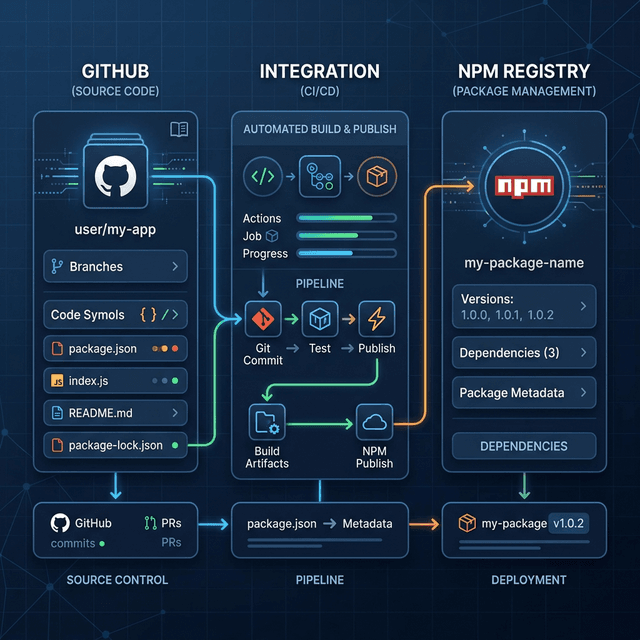
You can install npm packages directly from GitHub repositories using different methods. Here are the most common ways:
1. Installing from a Public GitHub Repository
Basic syntax:
npm install username/repositoryExample:
npm install facebook/reactIf you need a specific branch, tag, or commit:
npm install username/repository#branch-name
npm install username/repository#tag-name
npm install username/repository#commit-hash
Example:
npm install facebook/react#main
npm install facebook/react#v18.2.0
npm install facebook/react#5e61d1d
2. Installing from a Private Repository (Using SSH)
If the repository is private, you need SSH access:
npm install git+ssh://git@github.com:username/repository.gitExample:
npm install git+ssh://git@github.com:myorg/private-package.gitFor a specific branch, tag, or commit:
npm install git+ssh://git@github.com:username/repository.git#branch-name
npm install git+ssh://git@github.com:username/repository.git#tag-name
npm install git+ssh://git@github.com:username/repository.git#commit-hash
3. Installing from a Private Repository (Using HTTPS with Personal Access Token)
If you prefer HTTPS and need authentication:
npm install https://username:token@github.com/username/repository.gitExample:
npm install https://ghp_yourtoken@github.com/username/private-repo.git⚠ Security Tip: Avoid storing personal access tokens in plain text. Instead, use a .npmrc file or environment variables.
4. Installing from a GitHub Release (Tarball)
You can install a specific tarball release:
npm install https://github.com/username/repository/archive/refs/tags/v1.0.0.tar.gz5. Installing from a GitHub Gist
If the package is a single-file library, you can install it from a GitHub Gist:
npm install gist:username/gistidExample:
npm install gist:someuser/abcd1234efgh5678Troubleshooting Tips
-
Ensure Git is Installed
Since npm uses Git for fetching repositories, install Git if you haven’t already: -
git --version -
If it's not installed, get it from git-scm.com.
-
Check SSH Keys (For Private Repos)
If using SSH and getting Permission denied (publickey), ensure you’ve added your SSH key: -
ssh -T git@github.com -
Use a Token for Private HTTPS Access
If you see an authentication error, verify that your GitHub token has repo access. -
Clear npm Cache if Install Fails If you encounter integrity errors or incorrect dependencies:
-
npm cache clean --force -
Use --legacy-peer-deps or --force for Dependency Issues Some repositories might have conflicting peer dependencies:
-
npm install --legacy-peer-deps
npm install --force
Let me know if you need more details! 🚀