
Building Scalable Web Applications on DigitalOcean VPS: The Architect's Guide
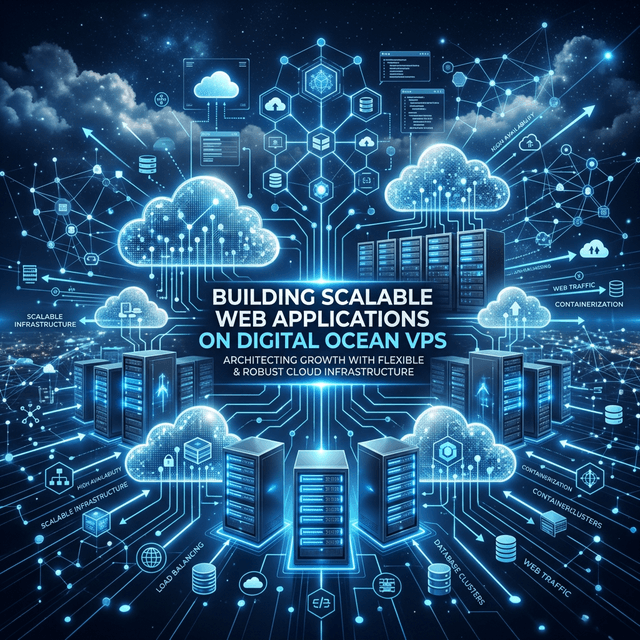
In the landscape of modern web development, the "Platform as a Service" (PaaS) model represented by Heroku and Vercel has made deployments easy. But as your traffic grows and your architectural needs become more complex, you eventually hit a glass ceiling of cost and control.
That’s where the Virtual Private Server (VPS)—specifically DigitalOcean Droplets—comes in. Moving from managed hosting to a VPS is like graduating from an apartment to owning a house. You have to fix your own plumbing, but you can tear down any wall you want.
In this guide, we will walk through the professional architecture for building scalable applications on a DigitalOcean VPS from the ground up.
1. Why Choose a VPS Over Managed Hosting?
While PaaS is great for prototyping, a VPS offers three distinct advantages:
- Cost Efficiency: A $6/month Droplet can often handle the same load as a $50/month tier on a managed platform if optimized correctly.
- Full Control: Need to install a specific version of Redis, a custom binary, or a unique Nginx module? On a VPS, you have root access.
- Architectural Flexibility: You can build a multi-server setup with private networking, isolated database nodes, and custom load balancers.
2. Hardening Your Droplet: The First 10 Minutes
Security on a VPS is not a "set it and forget it" task. Before you deploy a single line of code, you must harden your server.
Essential Security Steps:
- SSH Key Authentication: Never use passwords. Disable password authentication in
/etc/ssh/sshd_config. - UFW (Uncomplicated Firewall): Close everything by default. Only open ports
22(SSH),80(HTTP), and443(HTTPS). - Fail2Ban: Automatically ban IP addresses that show signs of malicious activity (like brute-force SSH attempts).
- Non-Root User: Create a
sudouser and never login directly asrootfor daily operations.
3. The Deployment Stack: Nginx and PM2
For most modern Javascript or Go applications, the "Gold Standard" deployment stack on a VPS involves a Reverse Proxy.
- Nginx: Acts as the gatekeeper. It handles SSL termination (using Let's Encrypt), static file serving, and load balancing.
- PM2 (Process Manager 2): For Node.js apps, PM2 ensures your application stays alive. If it crashes, PM2 restarts it. It also manages logs and allows for zero-downtime reloads.
4. Scaling Strategies: Vertical vs. Horizontal
Scaling on DigitalOcean is a journey of two phases:
Phase 1: Vertical Scaling (Resizing)
This is the "bigger engine" approach. DigitalOcean makes it trivial to shut down a droplet, increase its RAM and CPU, and restart it in minutes. This is perfect for the early stages of growth where your application hasn't been optimized for multi-node distribution.
Phase 2: Horizontal Scaling (Load Balancing)
When a single massive server is no longer enough, you move to Horizontal Scaling. This involves:
- DigitalOcean Load Balancer: Distributes incoming traffic across multiple smaller Droplets.
- Managed Databases: Moving your database off the application Droplet and into a managed instance (like DigitalOcean Managed MongoDB or PostgreSQL) ensures that your data layer isn't competing for resources with your app layer.
- VPC (Virtual Private Cloud): Ensuring your servers communicate over a secure, private network with no latency.
5. Monitoring and Infrastructure as Code
As you scale, you can no longer manage servers "by hand."
- DigitalOcean Monitoring Agent: Provides real-time metrics on CPU, Memory, and Disk I/O. Set up alerts to notify you on Slack or Email when a server hits 80% usage.
- Snapshots and Backups: Always enable automated backups. A $1/month backup plan is the cheapest insurance policy you will ever buy.
6. Get Started with $200 Free Credit
If you’re ready to take the leap from managed hosting to the power of a VPS, DigitalOcean is currently offering a $200 free credit for new accounts. This is enough to run a cluster of Droplets for months while you experiment with your architecture.
DigitalOcean Referral Link:
https://m.do.co/c/3702e6494d84
(Note: Signing up through this link helps support my research and the creation of more technical guides like this one!)
Conclusion: Emphasizing Reliability
Building on a VPS isn't just about saving money; it's about ownership. When you understand the underlying infrastructure of your application, you become a better developer. You start thinking about memory leaks, connection pools, and network latency—factors that separate "functional" applications from "industrial-grade" ones.
So, fire up a Droplet today. The cloud is your playground!
What's your biggest fear when it comes to managing your own server? Let's troubleshoot together in the comments.